IP Blocker Firewall
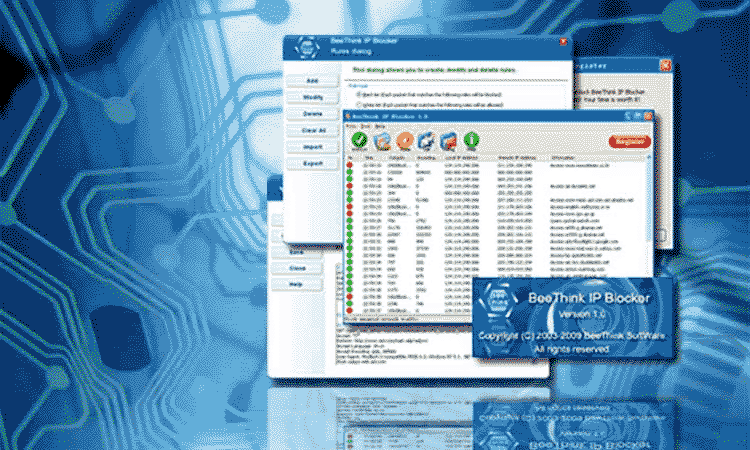
Block IP address on Windows
Try the world's best IP Blocking Software for free! Best choice for both experts and newbies.
Features
Ban IP addresses
Stop specific IP Addresses or ranges of addresses in one-click. BeeThink IP Blocker easily blocks country IP addresses with Apache's .htaccess file.
Network Activity Monitoring
Monitor network flows in Real-Time. IP Blocker Firewall displays IP addresses, ports, packet content and websites visited.
Firewall Protection
Users can customize their own firewall rules based on TCP/IP protocols. Exception rules are supported to allow specific IP addresse accessing. Windows service is supported.
High Performance & Light Weight
No lag, robust and stable. Run smooth for months without losing perfrormance. Lighter than ever, only 2 MB.
Programming Interface
Programming interface is implemented to easily import IP blocking addresses from third-party applications.
Support Most Windows
Support 64 bits and 32 bits Windows Operating System, including Windows XP, Vista, Windows 7, Windows 8, Windows 10, Windows 11, Windows Server 2000, 2003, 2008, 2012, 2016, 2019 and 2022.

Award Winning IP Filtering Technology
IP Blocker Firewall is a Windows based IP Blocking program which controls one computer interacts with other computers over the network. It can be successfully used on Windows server machines, in a production environment. New version adds support for Windows 11 and Windows Server 2022.
Full Version Information
- Current Version: 6.1.0.0
- Release Date: March 12, 2023
- OS supported: Windows
- File Size: 2 MB
- Trial Limitations: 3-day free trial
- Price: $69.95
How It Works
How does IP Blocker Firewall work?
IP Blocker Firewall works under network data link layer, which is the first layer that incoming network packets pass through. Since the filtering occurs at such a low level, IP Blocker Firewall can filter each incoming and outgoing network packet. When a packet goes through users' computers, IP Blocker Firewall checks the firewall rules to determine whether or not to let it pass through.
How to block country IP addresses with IP Blocker Firewall?
IP Blocker Firewall can be successfully deployed in a Windows production environment to ban network traffic from whole countries. Users can simply import Apache's .htaccess files which can be easily downloaded from a lot of websites. If you need more functions, such as DDoS protection, please try Anti DDoS Guardian.
Who use IP Blocker Firewall?
- Website masters who want to protect their HTTP servers, proxy servers, online game servers, Email serves, FTP servers, Internet forum servers and VoIP PBX SIP servers
- IT administrators who need to monitor network activties and set TCP/IP protocol based firewall rules
Testimonials
Purchase
Get IP Blocker Firewall For Only $69.95
BeeThink guarantees to deliver license file(s) in 24 hours after purchasing.
Get In Touch
If you have problems when you purchase our products, please email us at
Please email us if you want to cooperate with us at
If you have some problems when you use our products, please email us at
You may contact us by Skype. We will help registered customers to set up Internet servers online.
Skype ID: beethink_1